
CREATIVITY
EXPERTISE
New Pts Joining Frank
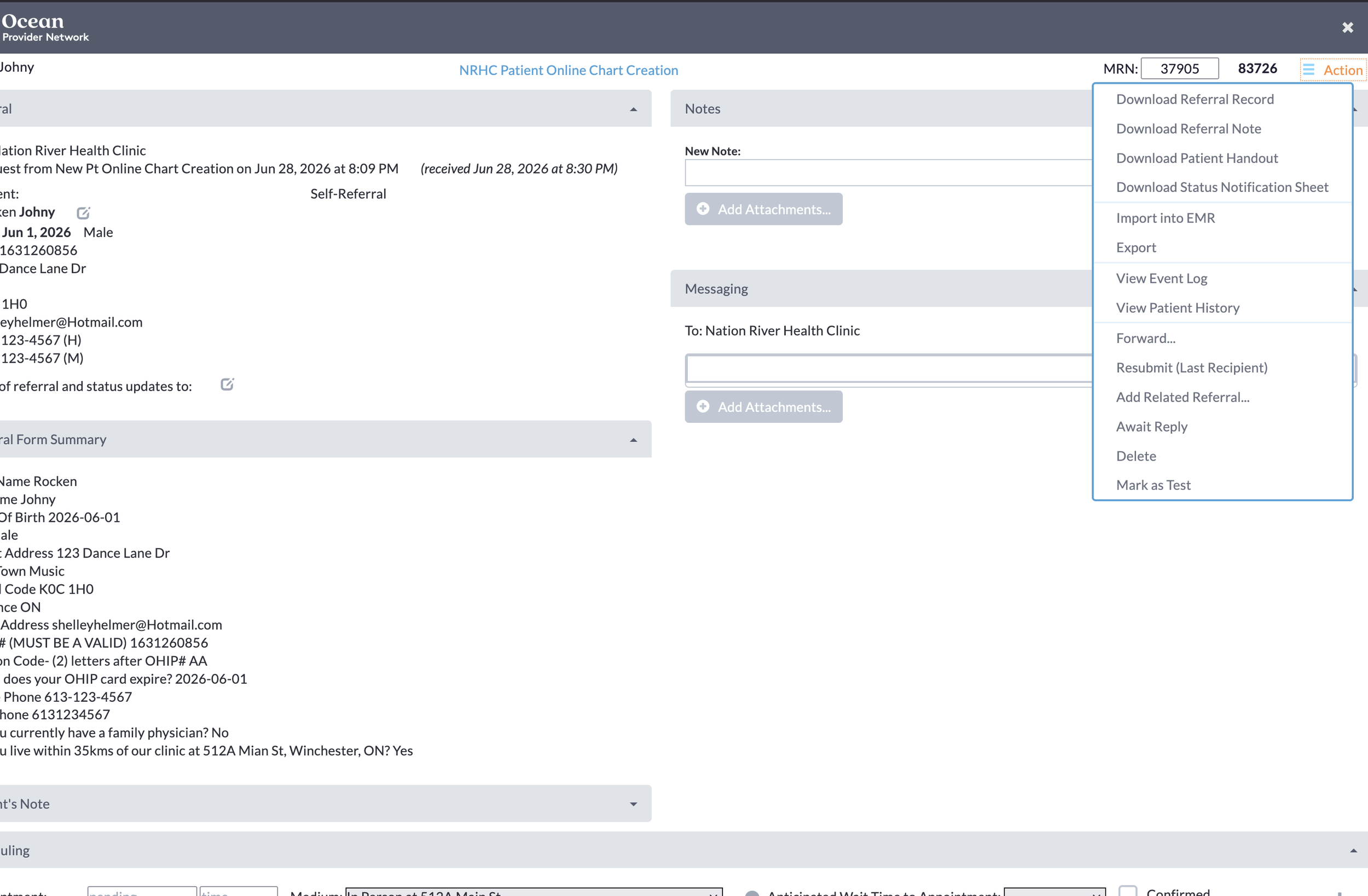
Check to see if if the new pt states they do not have a family doc and they say they live within the 35km radius. Once satisfied go ahead and in the top right hand corner click the “stacked hamburgs” and select “Import to EMR”. This will create a new chart within PS.
SETUP THE CHART
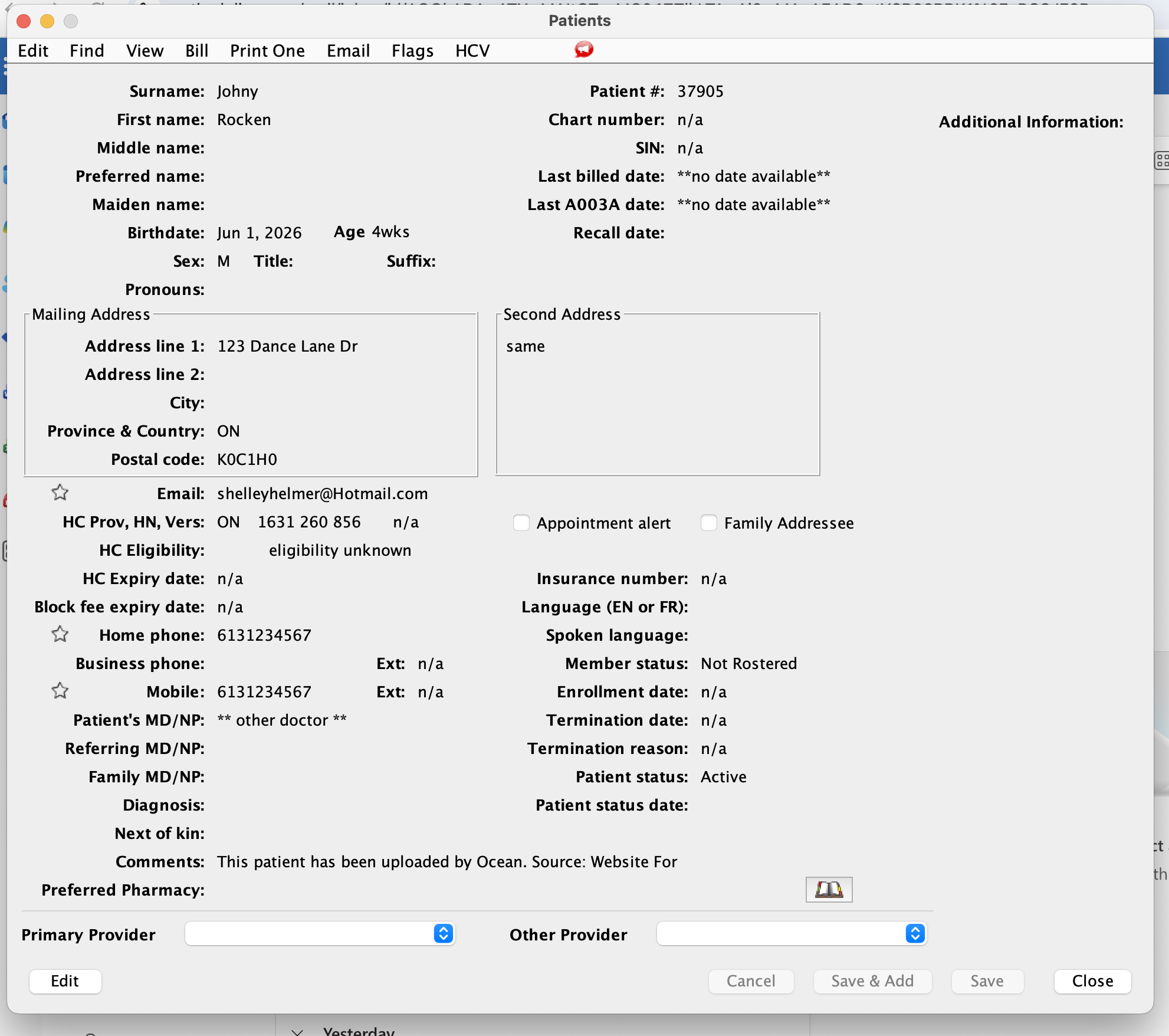
New chart is created in PS under “other doctor”. Run an HCV OHIP number verification to ensure the OHIP card is valid. If not contact the pt and let them know we need an update or the chart will be inactivated.
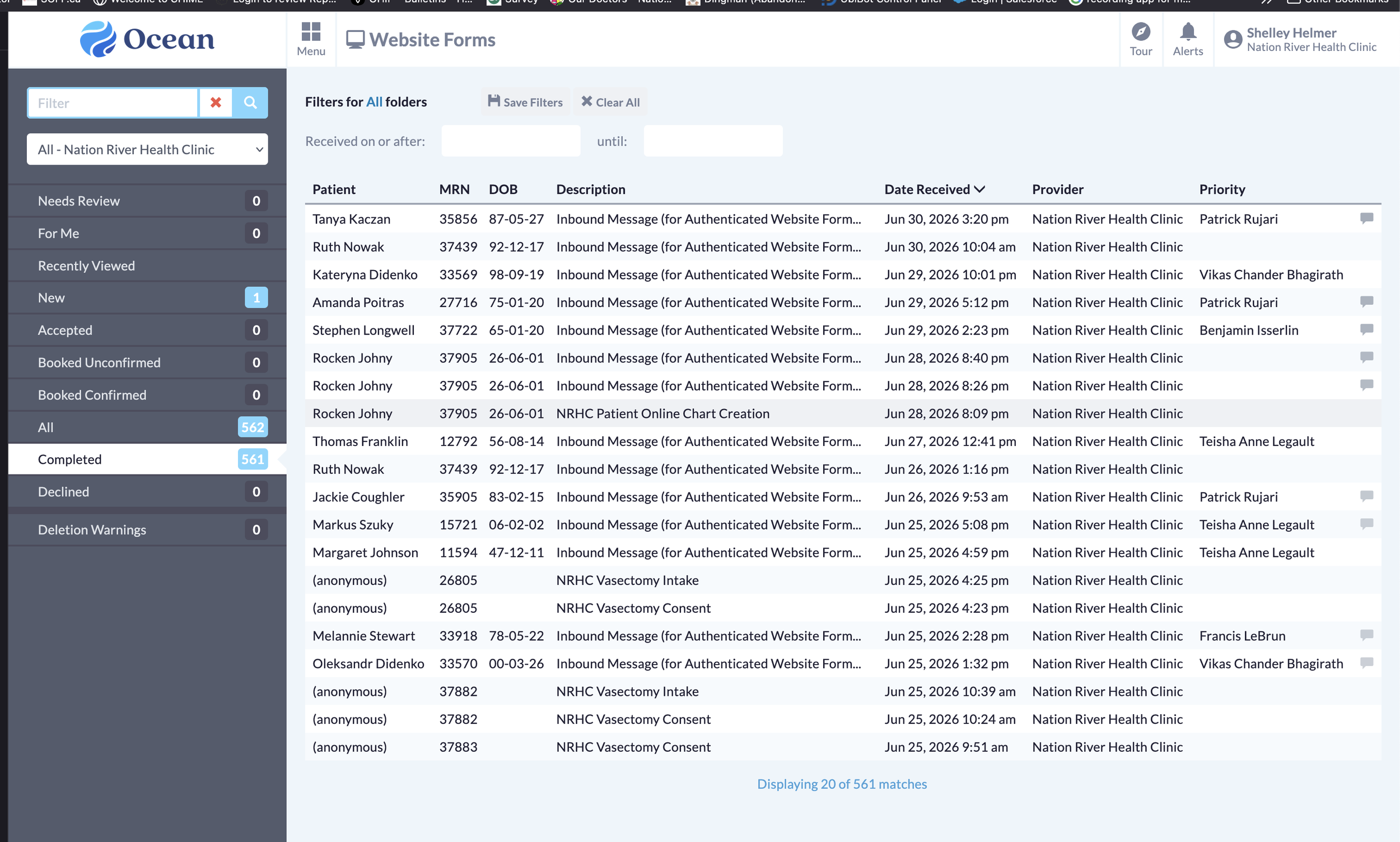
When a new pt enters their demographics to become a new pt, under the Website Forms look for NRHC Patient Online Chart Creation form. Open the form.
SETUP THE TRACKING WIDGET
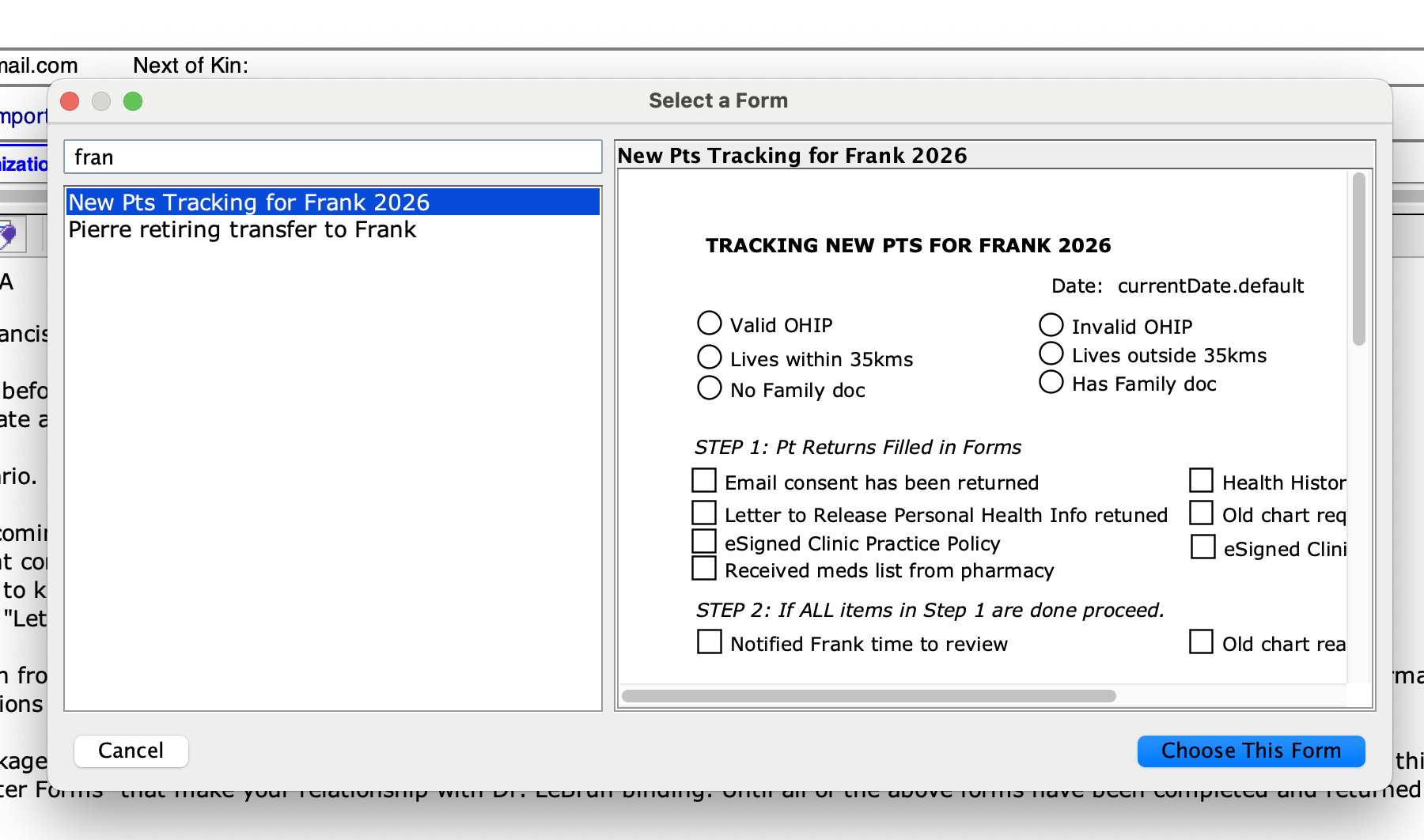
Add the custom form “New Pts Tracking for Frank 2026” into the chart. Clip on the date of the form and select “Make into Special Note”. This will tag the tracking form and keep it at the bottom of the chart for easy access.
LET’S GET STARTED